Pearl Security & Privacy
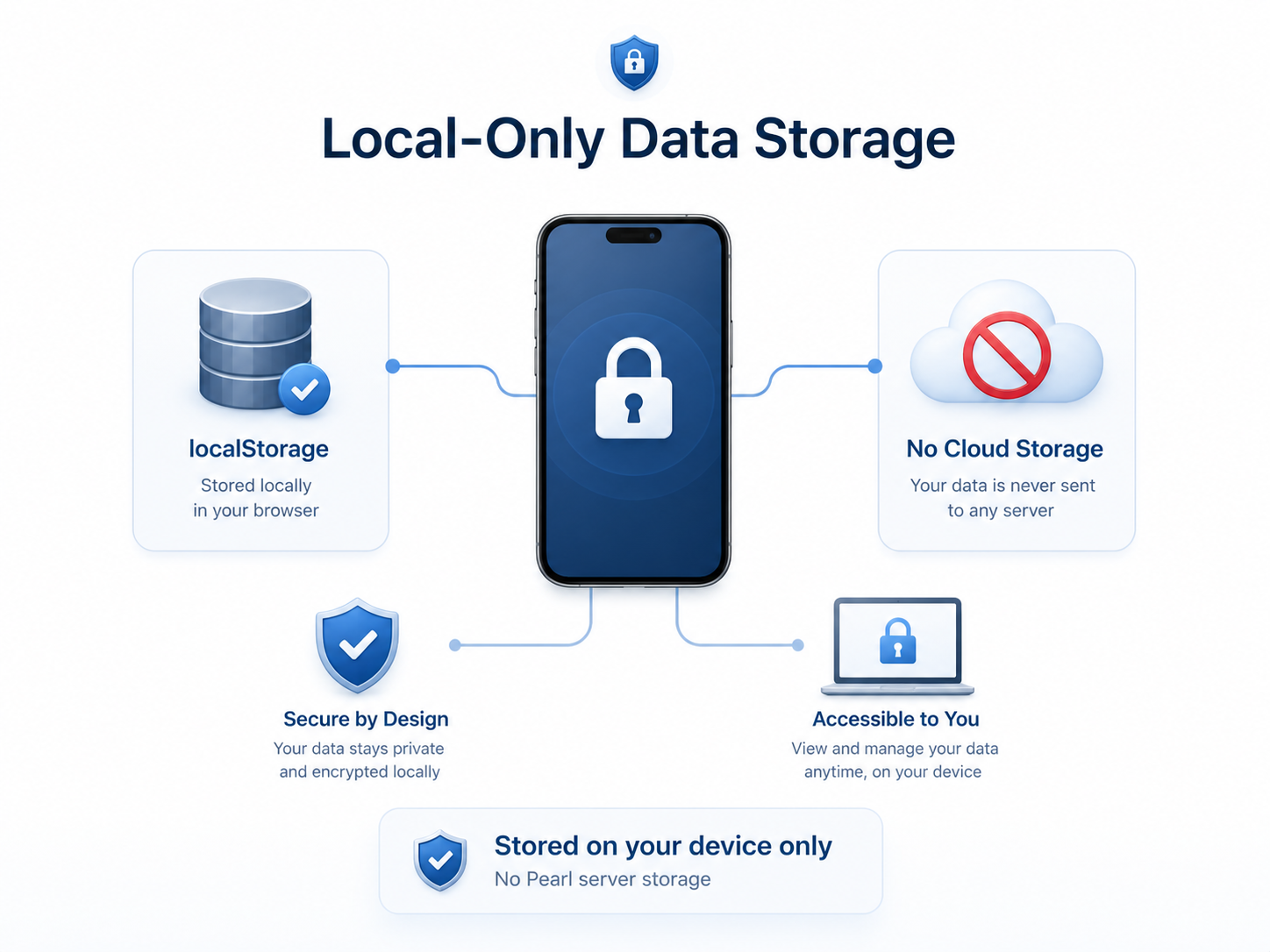
Pearl is built privacy-first. Your conversations, medications, symptoms, vitals, meals, stools, and procedure history live on your device — encrypted in your browser. Messages travel to AI providers only when you send them, only to generate a reply, and Pearl does not retain the content of those conversations on its servers.
1. Your Data Is Stored on Your Device
Everything you create or log in Pearl is stored locally in your browser, encrypted at rest. This includes:
- Conversations with Pearl, including any photos you attach.
- Home-dashboard intake logs — symptoms, vitals, medications, procedures, meals, and stool entries you record yourself.
- Folders, settings, and the profile fields (age range, sex/gender, region) you choose to provide.
- AI-generated clinical-presentation summaries Pearl creates from your conversations.
Larger items (your conversations and presentation archives) are stored in your browser's IndexedDB; smaller settings live in localStorage. Pearl does not upload, sync, or back up any of this to Pearl servers. Your data does not move to another device unless you create an export file yourself.
2. How Your Data Is Protected
Encryption at rest
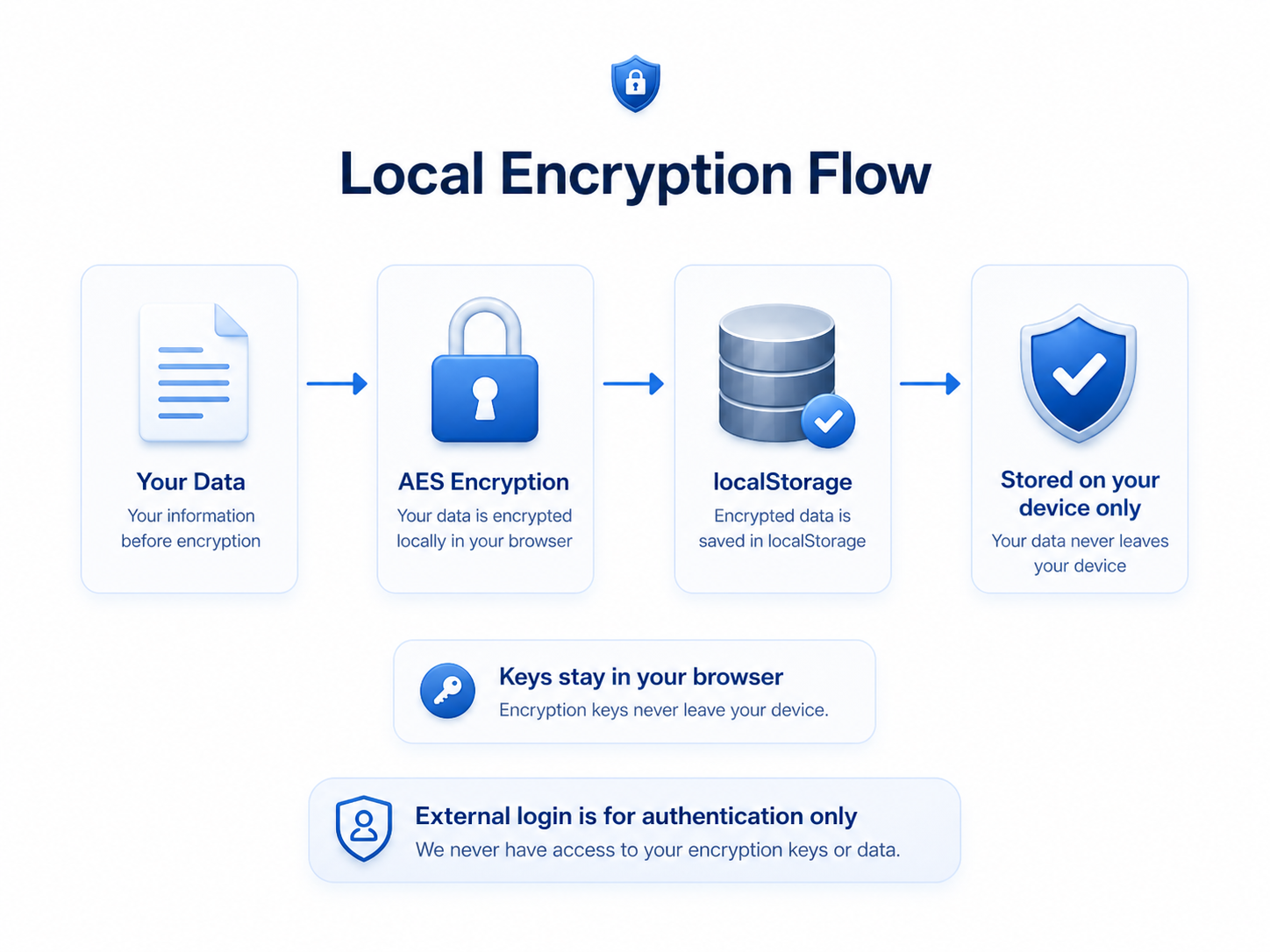
Stored conversations and presentation archives are encrypted with AES-GCM-256 using a key derived from your unlock passphrase via PBKDF2-SHA-256 with 200,000 iterations. Encryption and decryption happen inside your browser via the Web Crypto API. The key is never sent to a Pearl server, and Pearl cannot recover your passphrase if you forget it.
Encryption in transit
All network requests — including messages you send to AI providers — travel over TLS 1.2+ HTTPS. The site enforces HTTP Strict Transport Security (HSTS) with preload so browsers refuse to downgrade. A strict Content Security Policy limits which scripts can run; inline-event handlers and inline scripts are constrained to extracted files reviewed in source control.
Exports you create
When you create a backup file, you choose a passphrase. The file is wrapped with the same AES-GCM-256 + PBKDF2-200k envelope using a fresh per-file salt — portable between devices and independent of your in-app passphrase. A plain-text export option exists for migration; Pearl warns you in plain language before producing one and labels the file as unencrypted.
Authentication and access
Pearl is built to minimize identity collection. Production health data is not accessible to developers by default. Pearl staff cannot access your locally stored content: it is encrypted on your device with a key Pearl never receives, and Pearl does not store your health records or conversations on its cloud servers.
3. When Data Leaves Your Device
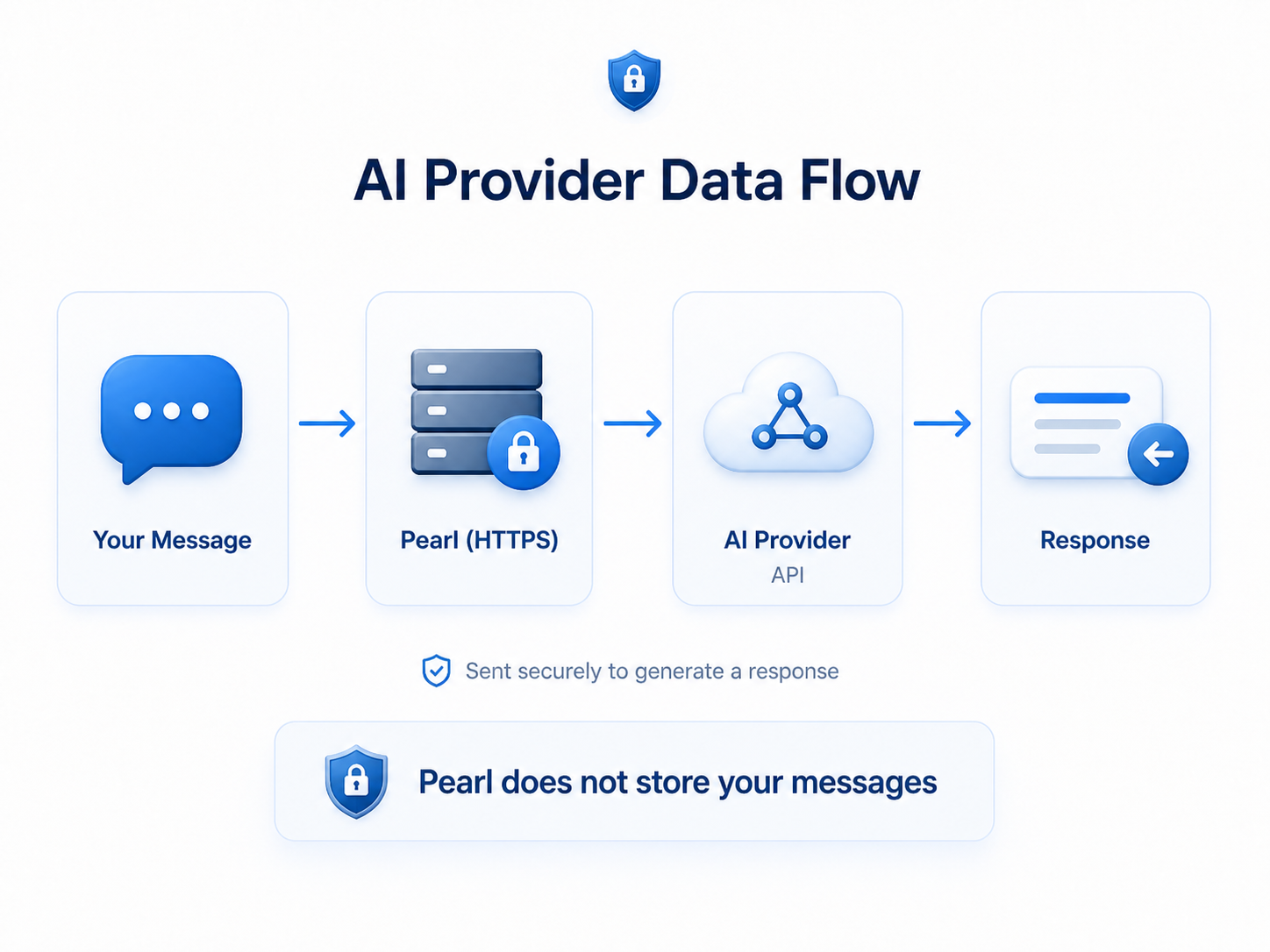
When you send a message, ask Pearl to scan a label, record a sound for analysis, or generate a clinical-presentation summary, the relevant content is sent over HTTPS to the AI provider you have selected so a response can be generated. Pearl currently routes requests to one of:
- Anthropic (Claude family of models)
- OpenAI (GPT family of models)
- Google (Gemini family of models, used for example for the medication label, food, and short audio analyses)
Each provider is used under its API-tier terms. These tiers do not use API traffic to train models by default, and Pearl does not opt into any optional human-review or model-improvement programs. Pearl sends the minimum context needed for the request — recent conversation, your selected profile fields, photos or audio you explicitly attached — and does not retain those messages on Pearl servers after the response is returned.
PHI guardrails on outbound requests
Before content reaches an AI provider, Pearl runs a server-side PHI detector that scans the message text for direct identifiers (names, addresses, dates of birth, MRNs, phone numbers, and other HIPAA Safe Harbor categories). If a likely identifier is found, Pearl pauses the send and asks you to confirm in plain language before proceeding. Pearl prefers blocking with confirmation over silent redaction so partial detection cannot produce a misleading "we cleaned it for you" sense of safety.
Identifier-stripping in extraction prompts
When you scan a pill bottle, prescription label, vitals device, procedure report, or food packaging, the extraction instruction sent to the AI provider explicitly tells the model to ignore patient name, date of birth, address, phone, MRN, pharmacy name, Rx number, prescriber, and other identifiers that may be visible on the label, and to return only the medication / reading / procedure facts. The image itself does travel to the provider so the model can read it; the response Pearl receives is constrained to the field-level data above.
Image and audio handling
Photos you attach are processed in your browser before upload: EXIF, GPS, camera-serial, IPTC, and XMP metadata are stripped by a canvas re-encode, and the image is resized to keep payloads small. Photos you attach to a saved log (Symptoms, Procedures, Vitals) are stored in the same encrypted local store as your conversations; nothing is uploaded to Pearl servers for storage. Audio clips you record for Pearl to describe (for example, a cough recorded in Symptoms) are sent only for analysis and then discarded — the recording is not stored locally or on Pearl servers.
4. What Pearl Logs — and What It Doesn't
Pearl keeps server-side security and operational logs so we can debug abuse, latency, errors, and cost. These logs contain only structural metadata. They do not contain the content of your conversations, photos, audio clips, or intake entries.
What the logs include
- A pseudonymous request identifier so multi-step requests can be traced.
- Event type and timestamp (for example, "AI request started", "AI request succeeded").
- Which AI provider and model handled the request, and how long it took.
- Coarse usage counts — token bucket, attachment count, attachment size bucket — for cost attribution.
- Error category when something fails (e.g. "timeout", "rate limit"), without echoing user content.
- The consent-policy version that applied to the request.
What the logs deliberately exclude
- The text of your messages or AI replies.
- The pixels or audio bytes you sent.
- Names, addresses, phone numbers, DOB, MRN, or other direct identifiers.
- Anything from your home-dashboard intake logs.
Pearl applies a server-side allow-list filter to outbound analytics and telemetry to keep health content out, and an inbound filter on client-emitted analytics to drop forbidden keys.
5. Safety, Crisis, and AI Labeling
Pearl pauses normal chat and surfaces emergency or crisis guidance when it detects potential signals of self-harm, overdose, abuse, severe allergic reaction, sepsis, stroke or heart-attack symptoms, or imminent danger. In the United States this routes you to 988 (Suicide & Crisis Lifeline) for mental-health crisis and 911 for medical emergencies. Pearl will not try to manage a crisis itself.
Pearl also classifies AI responses for safety before display (green = general education / organization, yellow = needs clinician review, orange = potentially urgent, red = emergency-shaped), and surfaces an explicit "AI-generated health information — not medical care" label on Pearl outputs, exports, and any doctor-share document you create.
External text Pearl ingests — pasted records, document text, OCR output from labels — is treated as untrusted content. The system prompt cannot be overridden by instructions hidden in those documents.
6. Your Rights and Controls
You are in control of your data in Pearl. From the in-app menu you can:
- Export your data. Create an encrypted (passphrase-protected) backup file containing your conversations, folders, medications, symptoms, vitals, procedures, meals, stools, and profile. A clearly labeled plain-text export is available for device-to-device migration; Pearl warns you before producing one.
- Import a backup. Restore a backup file into a clean installation. Duplicates are deduped; existing typed values are not overwritten.
- Delete your data. Remove individual entries (any visit prep, medication, symptom, vital, meal, stool, procedure log) or wipe local Pearl data entirely. Because your data lives in your browser, deletion is real and immediate — there is no server copy to also remove.
- Revoke any consent. Every consent decision is recorded in a versioned consent ledger with a timestamp and the policy version in effect. You can revoke at any time; non-essential outbound calls stay inert when the relevant category is not granted.
- Opt out of analytics and debug sharing at any time from the in-app privacy settings.
Pearl applies a single conservative consent flow that meets the strictest U.S. consumer-health-data law (Washington's My Health My Data Act). That ceiling implicitly covers the FTC Health Breach Notification Rule, FTC §5 truth-in-advertising, the California CMIA / CCPA / CPRA framework, and Connecticut's consumer-health-data rules, so the same controls apply to every user regardless of where they live.
7. Third Parties and Subprocessors
Pearl uses a small set of third-party providers, each with a defined purpose. None receive your locally stored data unless it is part of an active request.
- Anthropic, OpenAI, Google — AI providers that generate responses to your messages and the structured-extraction calls (medications, vitals readings, food, stools, procedures, audio). API-tier terms; no training on Pearl traffic by default; no human review of API requests by default.
- Netlify — hosting and serverless functions. Receives request metadata required to route traffic; does not see decrypted local content.
- Stripe — payment processing for paid tiers. Receives only the information required to complete a purchase. Pearl does not see or store your card details.
- Mixpanel — product analytics. Receives only metadata events (which feature you used, when, and how long it took); receives no health-conversation content. Subject to the same allow-list filter described in section 4.
Pearl maintains a vendor register internally with each provider's purpose, retention terms, and DPA / BAA status. Pearl does not sell your data.
8. Breach Notification
Pearl is a vendor of personal health records and is subject to the FTC Health Breach Notification Rule. If we discover that personally identifiable health information has been accessed, acquired, used, or disclosed without authorization, we will notify affected users without unreasonable delay and in any case within 60 calendar days of discovery, by email and (where applicable) via in-app notice. Notices will describe what happened, what categories of information were involved, what steps we have taken in response, and what you can do to protect yourself.
9. What Pearl Cannot Do
Pearl is designed to keep your stored health information under your control. We avoid promising things that we cannot deliver.
- Pearl cannot recover your passphrase. If you forget it, Pearl cannot decrypt your local data or your encrypted backup files.
- Pearl does not store the content of your conversations, photos, audio, or intake logs on Pearl servers.
- Pearl does not sell your data or share it with advertisers.
- Pearl is not HIPAA-compliant and is not held out as such. Pearl follows HIPAA-grade safeguards because they are good practice for a consumer wellness app, but Pearl is not (without separate written confirmation from counsel) acting as a covered entity or business associate, and using Pearl does not create a HIPAA relationship.
- Pearl is not a substitute for professional medical care. It is not a diagnostic system, a treatment system, an emergency service, or a medical device.
- Pearl is not intended for use by children under 13 (or the equivalent age in your jurisdiction). Pearl does not knowingly collect personal information from children.
Epic / MyChart connections
Pearl can connect to Epic / MyChart using SMART on FHIR so you can bring your own health records into Pearl. This connection is built for patient use and is strictly read-only.
- Pearl is a patient-facing application. You authenticate directly with Epic; Pearl never sees or stores your MyChart username or password.
- Pearl requests read-only access. Pearl does not write back to the EHR and does not schedule, message, refill prescriptions, or perform billing actions.
- Pearl does not sell patient data and does not share it with advertisers.
- Epic access tokens are stored securely server-side, encrypted (AES-256-GCM). Tokens and the confidential client secret are never exposed to the browser.
- You can disconnect and revoke access at any time from Settings; Pearl deletes the stored token, and you can also revoke Pearl from within MyChart.
- Imported records are organized into your private, on-device health timeline. See /epic for exactly what Pearl imports and why.
Questions about the Epic integration? Email brianpaulflynn@gmail.com.
Questions, requests, or breach concerns?
Use the in-app Help & Feedback option for privacy, security, deletion, consent revocation, or data-access requests. We respond to verifiable user requests in line with the timelines required by applicable consumer-health-data laws (typically within 45 days, with a 45-day extension when reasonably necessary, in line with state consumer-privacy frameworks).
If you believe your information has been compromised, contact us through Help & Feedback with "Security" in the subject so we can prioritize.